
What Is Hyundai BlueLink? Key Features and How to Renew
Uncategorized
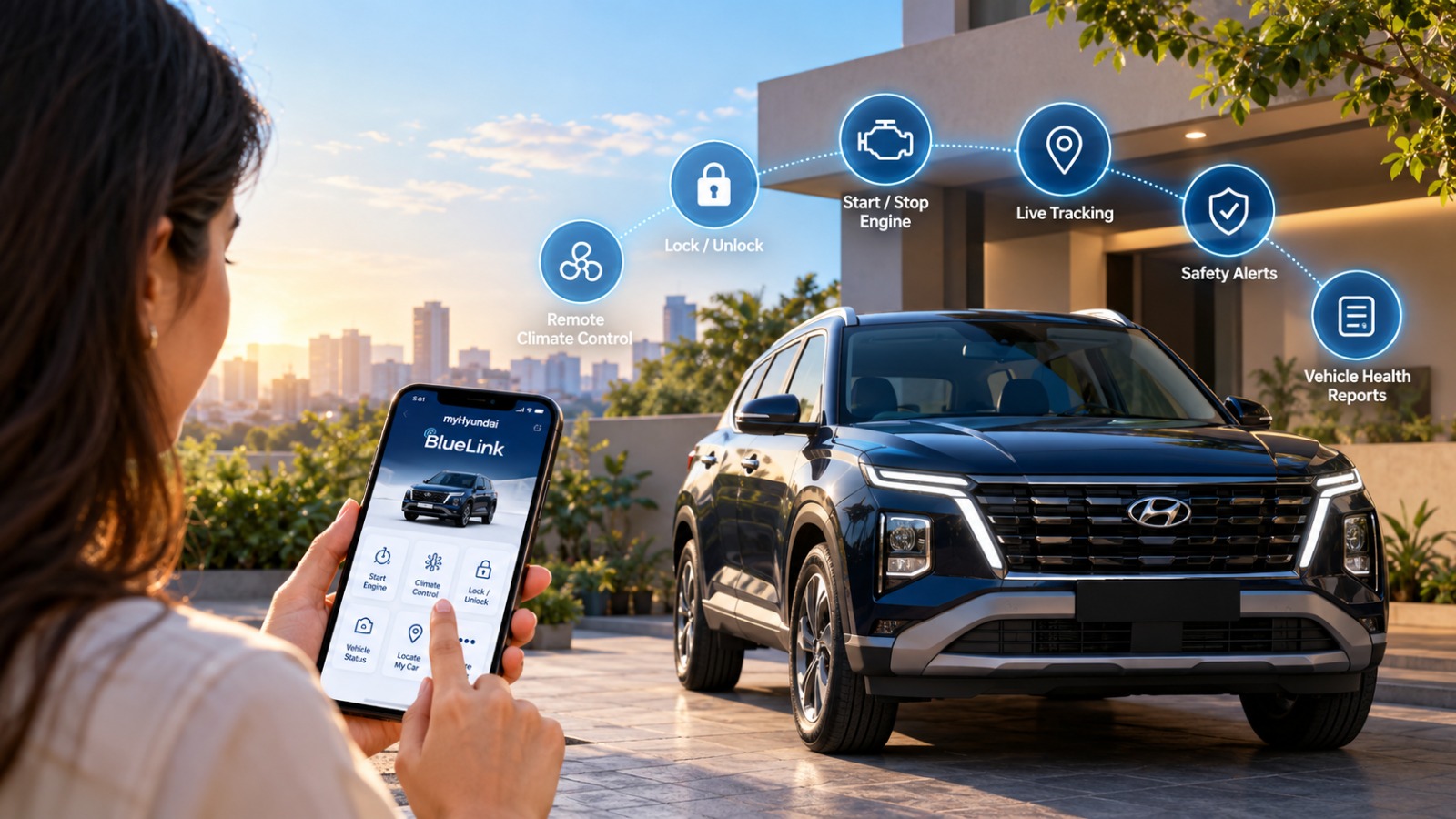
A scorching Gujarat afternoon can make even a short drive feel like a test of patience. You reach for your car door, open it, and are greeted by a cabin that feels more like a furnace than a comfortable space. Now imagine tapping your smartphone before you step outside and letting your Hyundai prepare itself for the journey. The cabin cools, the doors respond, and your drive begins with a little less waiting.
That simple interaction reflects a much larger shift in modern mobility. Cars are no longer defined only by their engines, transmissions and physical controls. Increasingly, they function as connected ecosystems that bring together the vehicle, smartphone, cloud services and intelligent technology. The result is a driving experience designed around convenience, information and security rather than simply getting from one destination to another.
At the heart of this connected experience sits Hyundai BlueLink, an AI-enabled telematics platform designed to connect compatible Hyundai vehicles with their owners. From understanding its remote features to managing safety alerts and subscription renewals, the system can become an everyday extension of the car. Teams at Gallops Hyundai also help Hyundai owners understand and make better use of these connected-car capabilities.
The Anatomy of Connected Mobility: What Is Hyundai BlueLink?
Hyundai BlueLink is a connected-car platform that uses an embedded eSIM and telematics technology to establish communication between a compatible Hyundai vehicle and Hyundai’s connected services. Because the vehicle has its own connectivity, BlueLink does not simply depend on the internet connection of your smartphone to communicate with the car.
Once the relevant services are activated and linked through Hyundai’s connected-car ecosystem, owners can access supported functions through the myHyundai app. This creates a digital bridge between the driver and vehicle, allowing certain controls, alerts and information to be accessed remotely.
The exact BlueLink functions available can vary according to the Hyundai model, variant, market and connected-service package. It is therefore useful to check the features supported by your particular vehicle before relying on any specific function.

Premium Convenience: Key Features of Hyundai BlueLink
BlueLink brings several connected features together under three broad areas:
Remote Control
For compatible vehicles and supported functions, remote controls can make everyday ownership considerably more convenient.
- Remote engine start/stop: Start or stop the vehicle remotely where supported.
- Climate pre-conditioning: Prepare the cabin temperature before entering the vehicle, subject to vehicle and regional specifications.
- Remote door lock/unlock: Check and manage the vehicle’s door-lock status remotely where available.
These features are particularly useful during Ahmedabad’s hot summers, when preparing the cabin before departure can make a noticeable difference to comfort.
Safety & Security
Connected technology can also act as an additional layer of assistance when unexpected situations occur.
- Automatic crash notification: Compatible systems can communicate relevant information following certain detected collisions.
- SOS and emergency assistance: Supported vehicles can provide access to emergency assistance features.
- Stolen vehicle assistance: Certain connected services can assist with vehicle tracking and recovery procedures, subject to the applicable service and circumstances.
These functions are designed to complement, rather than replace, conventional safety measures and emergency services.
Vehicle Health Diagnostics
BlueLink can also help owners stay informed about their vehicle beyond the dashboard.
- Vehicle health information and reports: Supported services can provide information about the vehicle’s condition.
- Over-the-air updates: Certain software updates may be delivered remotely where the vehicle supports them.
- Driving information: Available connected data can help owners understand aspects of their vehicle usage and driving patterns.
Together, these capabilities turn connected technology into a practical ownership tool rather than simply another feature on a specification sheet.
Keeping the Connection Alive: How to Renew Your BlueLink Subscription
New Hyundai vehicles equipped with BlueLink generally include a complimentary connected-service period, commonly three years, depending on the model and applicable terms. Once the complimentary period ends, continued access may require a paid subscription.
Renewal pricing can vary with the vehicle and current Hyundai subscription plans. A commonly quoted range has been around ₹2,499 for one year to ₹6,999 for three years, but owners should verify the current price displayed for their vehicle before making payment.
The renewal process is straightforward:
- Open the myHyundai app: Hyundai has consolidated connected-car services within its unified myHyundai ecosystem.
- Sign in to your account: Use the credentials associated with your Hyundai vehicle.
- Select your connected services: Look for the BlueLink or connected-services section and check your current subscription status.
- Choose a renewal plan: If your complimentary period has ended or is approaching its expiry, available paid plans should be displayed.
- Complete the payment: Follow the in-app instructions to purchase the applicable plan.
- Confirm activation: Check the subscription status after renewal and test the relevant connected functions.
If you prefer assistance rather than handling the process yourself, you can also visit an authorised Hyundai service facility. For Ahmedabad owners, Gallops Hyundai can help guide you through connected-service requirements and vehicle-related assistance at locations including S.G. Highway and Panjrapole.
Conclusion
BlueLink makes every drive more connected. It represents a shift in how drivers interact with their vehicles. Its value lies not in technology for technology’s sake, but in bringing useful controls, information and safety-oriented services closer to the owner’s everyday routine. Keeping the subscription active can help you continue using supported connected features without interruption. For Hyundai owners across Ahmedabad, Gallops Hyundai can be a local point of assistance for understanding these services and making the most of their connected vehicle.
Frequently Asked Questions
-
Is Hyundai BlueLink free forever?
No. Eligible new Hyundai vehicles may include a complimentary BlueLink subscription for three years, depending on the model and applicable terms. After the complimentary period, continued service generally requires renewal under the applicable paid plan.
-
What happens if I don’t renew my BlueLink subscription?
Once the applicable subscription expires, connected services that require an active plan may stop working. This can include remote-access features and other subscription-dependent connected functions. The exact impact depends on the services available for your vehicle.
-
Can I transfer my BlueLink account if I sell my car?
Your connected account should be appropriately unlinked from the vehicle when ownership changes. The previous owner should complete the required unlinking or account-removal process, allowing the new owner to register the vehicle with their own account and access the services available to them.
-
Can I renew BlueLink without visiting a dealership?